I just tested the new ChatGPT Images vs. Google Nano Banana
%20(2).avif)
%20transparent.avif)

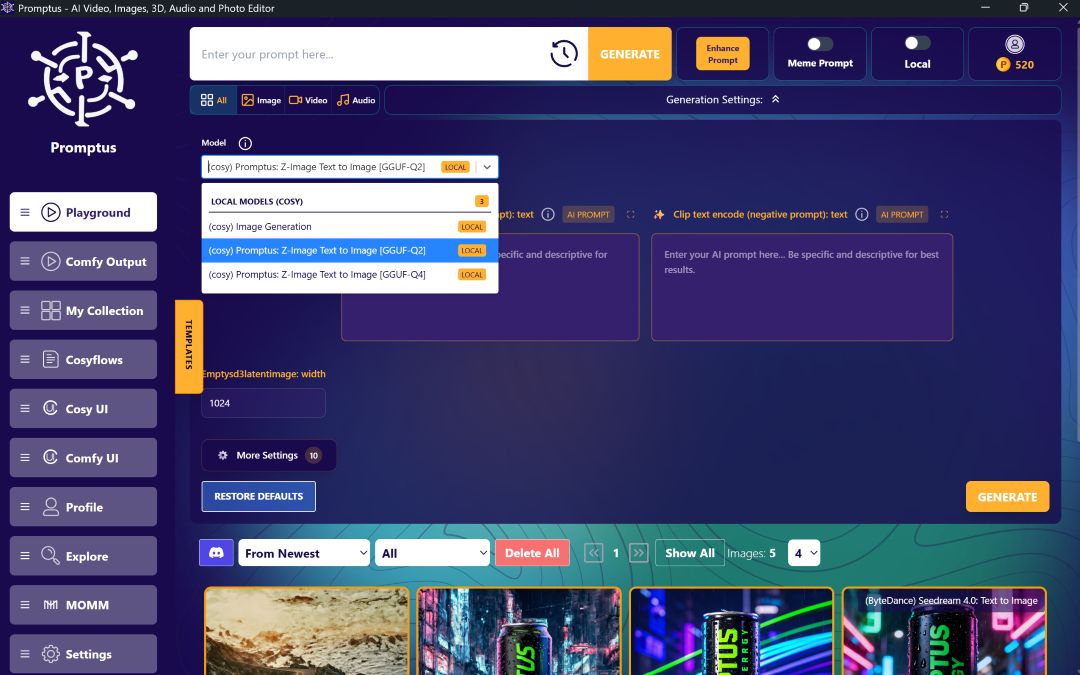
Test AI Image Models in Promptus
Before we dive into the examples, let's set the ground rules. All tests were run with identical prompts across both models to ensure apples-to-apples comparisons. No cherry-picking generations – I used the first output each time.
- Prompt Text: Exact same wording for GPT Image 1.5 and Nano Banana Pro. No style presets or custom parameters unless specified in the example.
- Aspect Ratio: No request, just the exact prompt
- Post-Processing: Zero edits – what you see is straight from the model.
- Generations: One per prompt per model. Run on Promptus
Don't just take our word for it. Below are the exact prompts designed to stress-test the 20 distinct capabilities covered in this review. Copy and paste these into both GPT Image 1.5 in Promptus and Nano Banana Pro in Promptus to see the differences in your own workflow.

🎨 Design & Typography Tests
1. Multi-Page Infographics
Prompt: "A complex vertical infographic poster titled 'THE DEEP OCEAN ZONES'. Divide the layout into three distinct horizontal sections with clear headers. Top section: 'SURFACE ZONE (0-200m)' with sun icon and text about light. Middle section: 'TWILIGHT ZONE (200-1000m)' with faint light icon and text about pressure. Bottom section: 'ABYSSAL ZONE (>4000m)' with deep sea creature icon and text about darkness. Flat vector illustration style, clean sans-serif typography, accurate hierarchy."
👀 What to watch for: Nano Banana Pro should maintain perfect spacing and legible text even in the dense bottom section. GPT 1.5 often crowds the text or makes small fonts illegible.
2. Magazine Hero Spreads
Prompt: "A cinematic 21:9 ultra-wide aspect ratio magazine double-page spread. Left side: A large, bold white headline 'THE FUTURE OF CITIES' over a dark, moody photo of futuristic architecture. Right side: Two neat columns of body text with a smaller subhead. Editorial design aesthetic."
👀 What to watch for: Nano Banana Pro will natively generate this wide format. GPT 1.5 will likely crop it to 16:9 or add black bars (letterboxing) instead of truly expanding the canvas.

3. Intricate Logos on Textures
Prompt:
"A close-up photograph of a worn, textured vintage denim jacket pocket. Embroidered directly onto the fabric is a complex circular logo that says 'WOLF PACK MOTOR CO.' around a central wolf head icon. The thread should look realistic and integrated into the denim weave."
👀 What to watch for: GPT 1.5 usually integrates the texture better, making the logo look like real embroidery. Nano Banana Pro sometimes makes the logo look like a flat sticker placed on top.

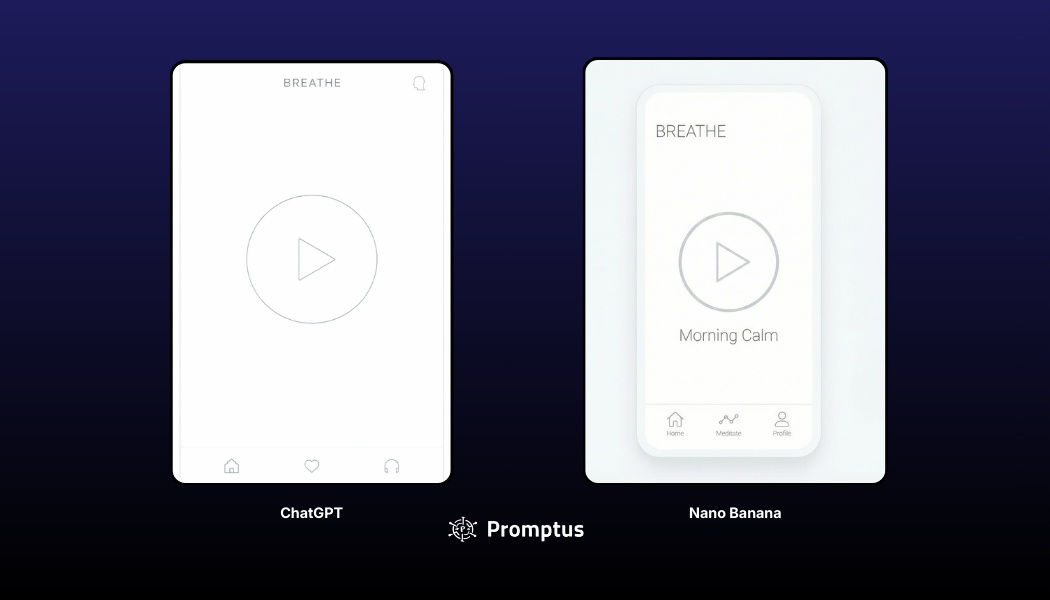
4. Minimalist UI Mockups
Prompt:
"A clean, minimalist mobile app UI screen for a modern meditation app called 'BREATHE'. Pure white background, very thin typography, a large circular play button icon in the center, and a simple bottom navigation bar with three icons. iOS design style."
👀 What to watch for: Both models should handle this well in 2025. Look for minor differences in icon consistency or font choices.
📸 Realism & Photography Tests
5. Raw Smartphone "Candid" Look
Prompt:
"A grainy, blurry candid smartphone photo taken at a crowded, dimly lit dinner party. Harsh on-camera flash lighting, people laughing with plates of food, slightly out of focus. Red-eye effect visible. Unpolished, authentic social media aesthetic."
👀 What to watch for: Nano Banana Pro is better at adding "bad" photographic qualities that make it look real. GPT 1.5 often struggles to make things look truly "unpolished."

6. Studio Fashion Photography
Prompt:
"A high-end editorial fashion photograph of a model wearing a structured, avant-garde black blazer. Studio grey seamless background, soft professional lighting highlighting fabric texture, sharp focus, magazine quality color grading."
👀 What to watch for: GPT 1.5 excels here, usually delivering a highly stylized, "perfect" commercial look.

7. Macro Skin Texture
Prompt:
"A super macro portrait photograph of an older person's eye and cheek area in natural daylight. Highly detailed, showing individual pores, fine wrinkles, and natural skin imperfections. No smoothing or beauty filters."
👀 What to watch for: Nano Banana Pro should show realistic micro-textures. GPT 1.5 may still apply a subtle "beauty filter" blur over pores.

8. Complex Liquid Dynamics
Prompt:
"A high-speed photograph of red wine splashing out of a breaking glass goblet in mid-air. Thousands of individual droplets, glass shards flying, and complex liquid motion frozen in time. Dramatic studio lighting."
👀 What to watch for: Nano Banana Pro's physics engine usually renders water cohesion and light refraction through droplets more accurately.

🛍️ Brand & Product Accuracy Tests
9. Verified Product Mockups
Note: This works best with Nano Banana Pro in Promptus
Prompt:
"A photorealistic product shot of the interior dashboard of a 2025 Rivian R1S SUV. Show the specific screen layout and materials accurately. Parked in a forest setting."
👀 What to watch for: Nano Banana Pro should use search to find the actual interior design. GPT 1.5 will likely guess, creating a generic "futuristic car" interior that isn't factually a Rivian.

10. Packaging Labels
Prompt:
"A close-up shot of a brown cardboard shipping box for a tech gadget. Printed directly onto the cardboard in dark ink is a regulatory label with small text: 'MODEL: X-MK4. INPUT: DC 5V 2A. FCC ID: 2A45G-X. MADE IN VIETNAM. Do not dispose in trash.' Realistic cardboard texture."
👀 What to watch for: Nano Banana Pro is much more reliable at rendering specific, small alphanumeric text strings without errors.
11. Character Consistency (Reference Images)
Note: This requires using the upload/attachment feature of the respective models.
Workflow: Upload a clear photo of a specific person's face.
Prompt: "A medium outdoor shot of this exact person smiling, wearing a heavy red winter jacket in a snowy mountain landscape. Keep facial features consistent."
👀 What to watch for: Nano Banana Pro (with its 14-image reference capacity) is generally better at "locking" identity across different scenes.
.avif)
12. Storefront Signage (3D Text Placement)
Prompt:
"A rainy night street scene in Tokyo. A glowing neon sign attached to a brick building explicitly reads 'RAMEN NOIR - OPEN 24 HRS'. The neon light should reflect realistically in puddles on the wet asphalt."
👀 What to watch for: GPT 1.5 is excellent at integrating specific text into complex lighting environments like neon and rain.

🎨 Creative & Stylized Art Tests
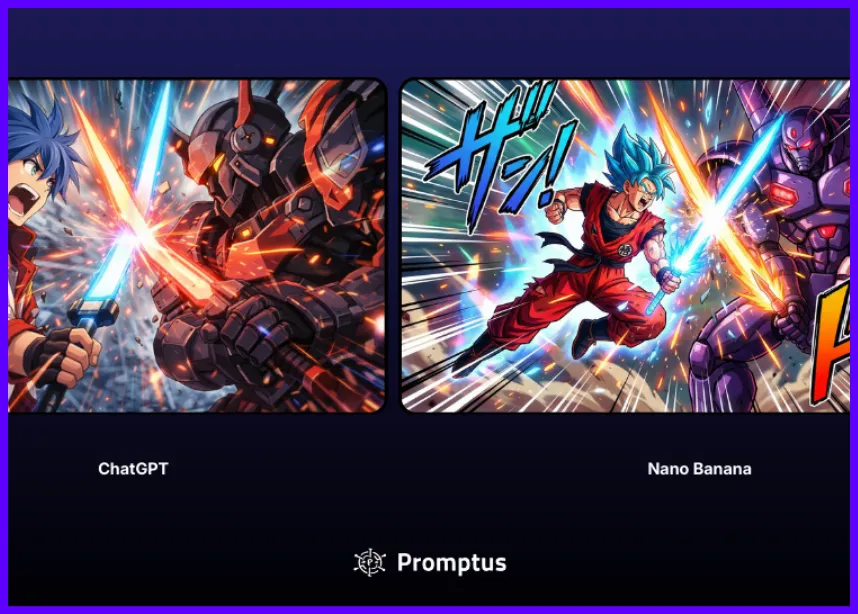
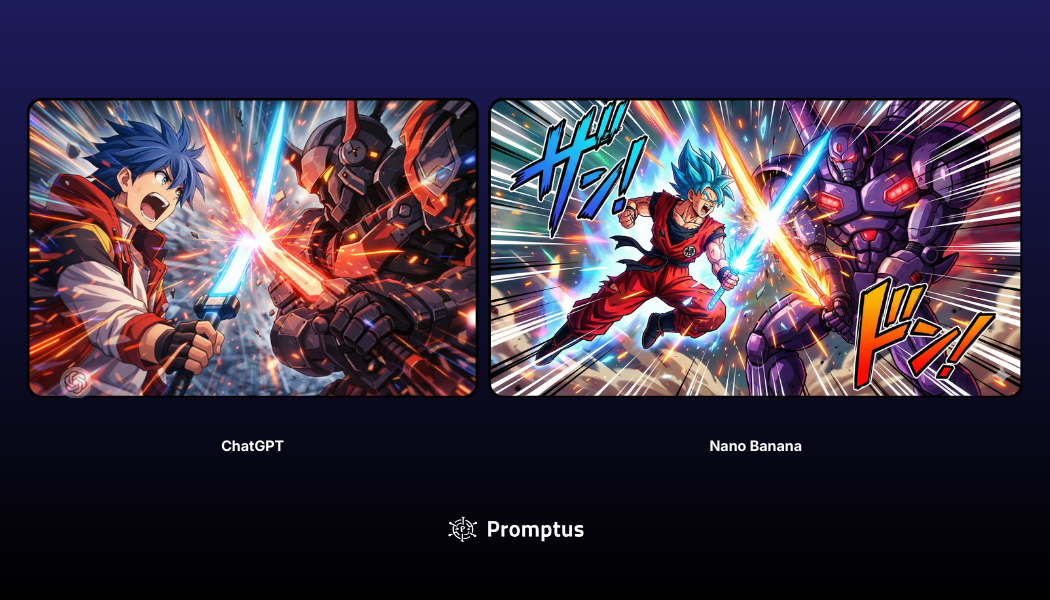
14. Shōnen Anime Scenes (Action & Style)
Prompt:
"A dynamic screenshot from a shōnen anime. A young hero with spiky blue hair yelling while clashing Energy Swords with a large armored robotic villain. Intensive speed lines, impact particle effects, vibrant colors, cel-shaded art style."
👀 What to watch for: Both models are very strong here. Look for dynamic posing and how well the "energy" effects are drawn.
15. Architectural Renders
Prompt:
"A photorealistic architectural rendering of a brutalist concrete house built into a sea cliff at sunset. Large glass windows reflecting the ocean light. Accurate shadows cast by the concrete forms."
👀 What to watch for: Nano Banana Pro often has better "spatial intelligence," ensuring staircases, shadows, and structural elements make logical sense.

16. 3D Pixar-Style Characters
Prompt:
"A 3D animated character render in the style of Pixar. A cute, grumpy old badger wearing tweed overalls, holding a wrench. Expressive furrowed brow, soft cinematic lighting, detailed fur texture."
👀 What to watch for: GPT 1.5 captures the "vibe" and emotional expression of character animation slightly better.

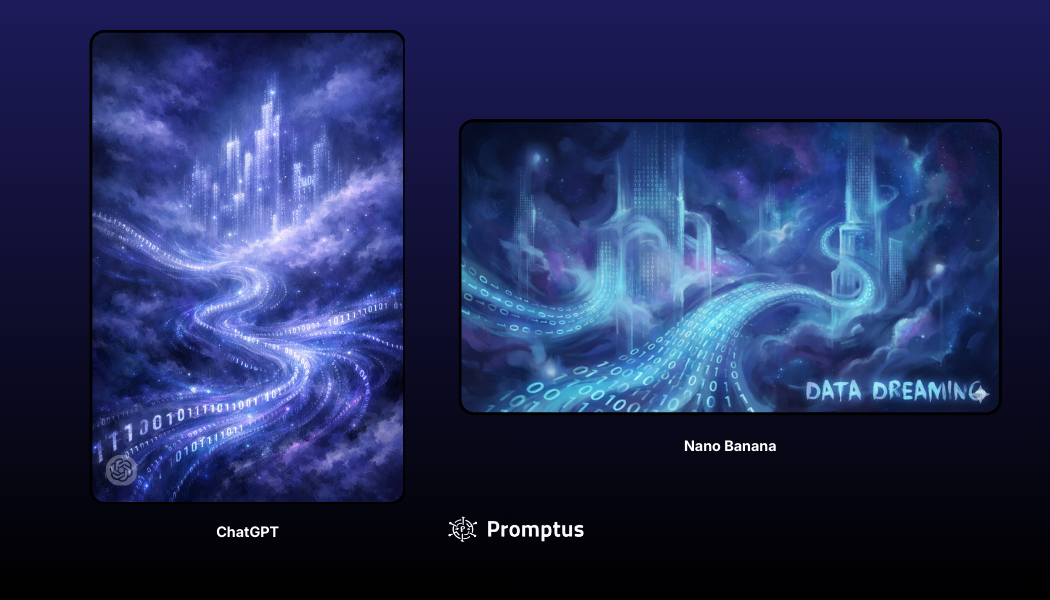
17. Abstract Concept Art
Prompt:
"Abstract concept art for 'Data Dreaming'. Swirling streams of glowing binary code forming vague, ghostly city shapes in a cloudy digital void. Painterly, ethereal style, deep blues and purples."
👀 What to watch for: GPT 1.5 is often more creative when the prompt is open-ended and metaphorical.
⚙️ Workflow & Editing Tests
18. Multi-Step "In-Painting"
Note: This is a two-part test in a chat interface.
Step 1 Prompt: "A photorealistic photo of a fluffy golden retriever dog sitting on a Persian rug in a living room."
Step 2 Prompt (After generating the image): "Change the dog into a fluffy grey cat, but keep the Persian rug and the background exactly the same."
👀 What to watch for: GPT 1.5 is the king of this. It should preserve the background perfectly. Nano Banana Pro might regenerate the whole scene, slightly changing the rug pattern or lighting.
19. Style Transfer
Note: Requires uploading a photo.
Workflow: Upload a photo of a person or landscape.
Prompt: "Convert this image into a classical oil painting in the style of Rembrandt. Heavy brushstrokes, dark moody lighting, keep the subject recognizable."
👀 What to watch for: Nano Banana Pro is often better at keeping the fundamental structure of the original image intact during style changes.

20. Background Removal
Prompt:
"A product shot of a complex, leafy fern plant in a terracotta pot, isolated on a pure solid white background. Clean edges, no halo effect around the leaves."
👀 What to watch for: Inspect the edges of the leaves. Both should be good, but watch for any leftover pixels from a previous background.

Create better AI images with Promptus. Run identical prompts across top models, generate native 4K visuals, and refine your workflow faster. Start Creating with Promptus → Promptus Web