%20(3).avif)
%20(2).avif)
%20transparent.avif)

Top 5 alternatives to ComfyUI—starting with a platform that keeps growing in popularity: Promptus.
If you’ve dipped your toes into the world of generative AI, especially image and video generation, you’ve likely encountered ComfyUI—a powerful, node-based interface for AI workflows. But as flexible as ComfyUI is, it comes with caveats:
- Local setup can be technical
- Workflows rely on complex JSONs
- Custom node installs and hardware limits frustrate beginners
So what if you want ComfyUI’s power… but with less pain? Here are the top 5 alternatives to ComfyUI—starting with a platform that keeps growing in popularity: Promptus.
.avif)
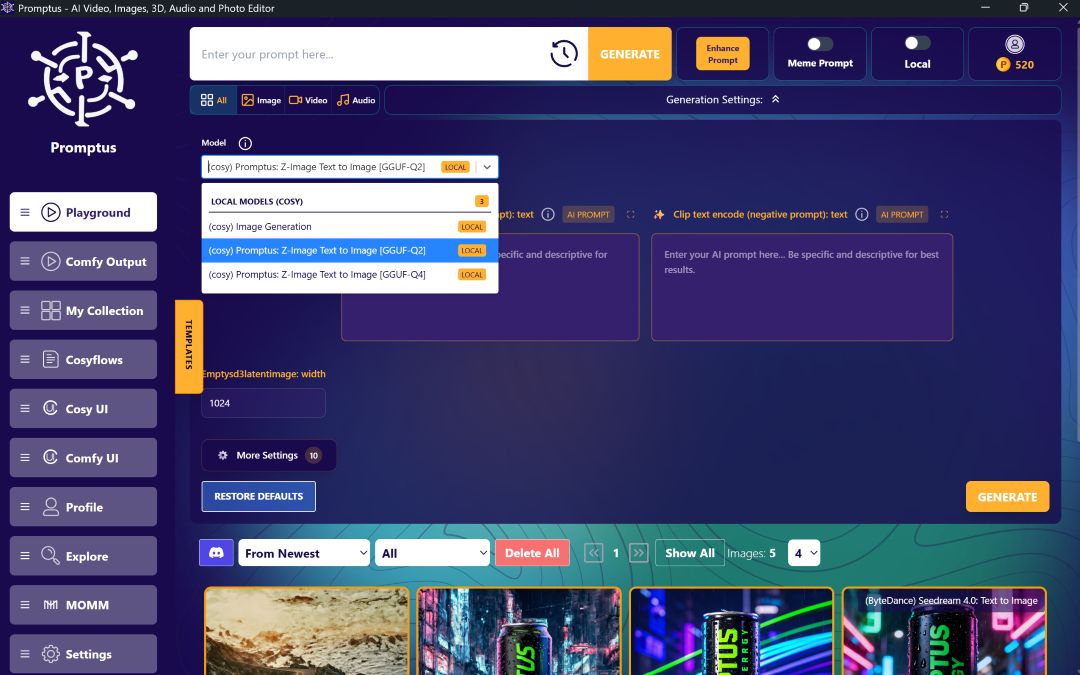
🥇 1. Promptus (Offline and Web-Based ComfyUI)
What it is: A no-install, browser-based platform that supercharges ComfyUI with templates, cloud GPUs, and built-in models.
✅ Pros:
- No installation, runs entirely online
- Includes CosyFlow workflows (pre-built & no-install ComfyUI workflows)
- Supports SDXL, IPAdapter, Gemini Flash, Hunyuan3D, and more
- One-click effects, video tools, background removal
- Real-time multi-user collaboration
- Community workflow sharing + public gallery
❌ Cons:
- Advanced editing may require learning workflow logic (but templates ease this)
⭐ Best for: Artists, tinkerers, developers, and teams who want full control and ease of use—without the hassle of installs or environment setup
2. Fooocus
What it is: A hyper-simplified interface for Stable Diffusion that refines prompts and chooses settings for you.
✅ Pros:
- Dead simple
- Auto-adjusts model + settings
❌ Cons:
- No workflow logic or modularity
- Can’t build custom processes
⭐ Best for: Newbies who want quick results with zero decisions
3. InvokeAI
What it is: A well-built local app for generating AI art using Stable Diffusion with some advanced control.
✅ Pros:
- Intuitive local interface
- Good customization options
❌ Cons:
- Local GPU required
- No node-based visual workflows
⭐ Best for: Creators with hardware who prefer local generation
4. Runway ML
What it is: A polished AI content suite focused on video and image editing, built for professionals.
✅ Pros:
- Great for video-first workflows
- Excellent UI/UX
❌ Cons:
- Models are proprietary or abstracted
- Limited modular logic and transparency
⭐ Best for: Editors, marketers, and motion designers
5. Mage.space
What it is: A social AI image site running Stable Diffusion models behind a simple web UI.
✅ Pros:
- Totally free and online
- Supports LoRAs and NSFW modes
❌ Cons:
- No custom workflows
- Little to no editing control
⭐ Best for: Prompt testing and casual exploration
ComfyUI Power, Without the Complexity
ComfyUI remains a fan favorite for AI power users—but if you want flexibility without friction, Promptus stands alone.
From instant 3D models and stylized animations to real-time collaborative workflows and remixable templates, Promptus gives you the power of ComfyUI with a no-code interface and a pro-grade GPU backend—all in your browser.
🎨 Start for free: https://promptus.ai
🔁 Remix CosyFlows, generate effects, and go from image to video to 3D
💻 No installs. Just creativity.